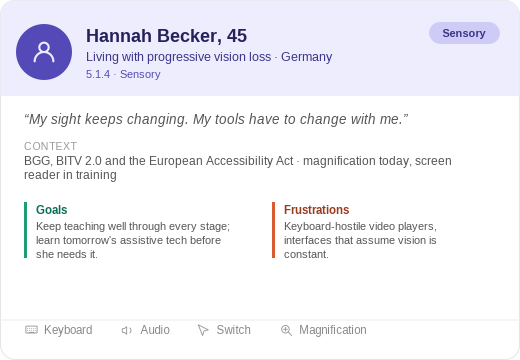
Hannah Becker
Living with progressive vision loss
Germany · Europe · Age 45
- Law
- BGG · BITV 2.0 · EAA
- Services
- BundID / ELSTER
- Messaging
Assistive Technology
- Keyboard
- Audio
- Switch
- Magnification
My sight keeps changing. My tools have to change with me.
Goals
Keep teaching well through every stage; learn tomorrow's assistive tech before she needs it.
Frustrations
Keyboard-hostile video players, interfaces that assume vision is constant.
Profile
Hannah Becker is a middle-school science teacher who was diagnosed five years ago with retinitis pigmentosa (RP). This progressive condition is narrowing her field of vision and worsening her night blindness. She still has central vision, but her peripheral field is severely restricted. Hannah continually learns new assistive technology to keep pace with her changing sight.
Technology Environment
- Currently: screen-magnification software, high-contrast settings, a large monitor
- Learning: the NVDA screen reader (preparing for the future)
- Teaching: large-print presentations, audio recording
- Mobile: increasing use of a voice assistant
Daily Scenario
Tuesday's first lesson, Hannah is teaching a biology unit. She used to draw on the board as she explained; now she projects pre-prepared digital material on a large screen. Because she can't take in students' faces all at once, she asked for oversized name cards.
During her prep period, Hannah builds next week's materials. She runs PowerPoint's accessibility checker to confirm every image has alt text—a courtesy not only for herself but for any visually impaired students.
// Hannah's lesson-material accessibility checklist
☐ Use at least 24pt type
☐ High-contrast color pairing (white text on black)
☐ Detailed descriptions on every image
☐ Minimal animation (to prevent dizziness)
☐ Video with audio description
☐ A text version of supporting handouts
After school, Hannah joins an online teacher-training session, since her worsening night blindness now makes evening in-person meetings hard. But the platform's video player can't be controlled by keyboard, so she struggles to find and click the small buttons with a mouse.
Challenges & Strategies
- Adapting to changing vision: because her sight keeps changing, she can't settle on one method. Hannah learns a range of assistive technologies in advance so she can switch when needed.
- Tunnel vision: peripheral loss makes the overall context hard to grasp. She has developed a systematic pattern for scanning the screen.
- Light sensitivity: she adapts slowly between bright and dark. Hannah keeps lighting steady and avoids sudden brightness changes.
Design Implications
- Scalable interfaces: must adjust to a user's changing needs.
- Multimodal delivery: convey visual information through hearing or touch as well.
- Predictable layouts: a consistent structure eases scanning and navigation.
- Support for gradual learning: provide tutorials and support for moving to new assistive tools.