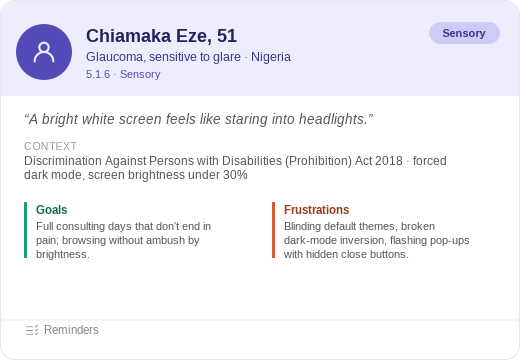
Chiamaka Eze
Glaucoma, sensitive to glare
Nigeria · Africa · Age 51
- Law
- Discrimination Against PWD (Prohibition) Act 2018
- Services
- NIMC / bank USSD
- Messaging
Assistive Technology
- Reminders
A bright white screen feels like staring into headlights.
Goals
Full consulting days that don't end in pain; browsing without ambush by brightness.
Frustrations
Blinding default themes, broken dark-mode inversion, flashing pop-ups with hidden close buttons.
Profile
Chiamaka Eze works as a marketing consultant and was diagnosed with glaucoma ten years ago. Her peripheral field is gradually being damaged, and she has severe photophobia—sensitivity to bright light. Glare and halos make it hard for her to look at a bright screen for long.
Technology Environment
- Monitor: anti-glare film, blue-light reduction
- Software: dark mode applied everywhere, f.lux
- Browser: the Dark Reader extension
- Lighting: dimmable indirect lighting
Daily Scenario
At 10 a.m. Chiamaka begins market research for a client. The first site she visits is full of bright images on a white background. She turns on Dark Reader, but some images and graphs come out with inverted colors, so she can't read the information properly.
/* Chiamaka's preferred dark-mode settings */
:root {
  --bg-primary: #1a1a1a;
  --bg-secondary: #2d2d2d;
  --text-primary: #e0e0e0;
  --text-secondary: #b0b0b0;
  --accent: #4a7c7e; /* a calm teal */
  --image-opacity: 0.8;
}

/* Dim image brightness */
img {
  opacity: var(--image-opacity);
  filter: brightness(0.8);
}

/* Disable animation */
* {
  animation: none !important;
  transition: none !important;
}
After lunch, while shopping online, a pop-up ad suddenly fills her screen. The flashing animation on a white background strains her eyes badly and a headache begins. She tries to close the pop-up, but the X button is too small and too transparent to find.
Challenges & Strategies
- Photophobia: she's extremely sensitive to bright light and sudden brightness changes. Chiamaka sets dark mode as the default on every device and keeps screen brightness below 30%.
- Peripheral vision loss: it's easy to miss information at the screen's edges. She prefers a reader view that gathers important content in the center.
- Reduced contrast sensitivity: low-contrast text is hard to read. She prefers at least 7:1 contrast.
Design Implications
- Native dark-mode support: a complete dark mode built with CSS variables.
- Animation control: honor the prefers-reduced-motion media query.
- Luminance controls: brightness adjustment for images and video.
- Minimal pop-ups: use them only when essential and make them easy to close.