최시원 · Choi Si-won
Cochlear implant user, music lover
Korea · East Asia (Korea) · Age 29
- Law
- 장차법 · KWCAG 2.2
- Services
- 정부24 / 카카오·토스
- Messaging
- KakaoTalk
Assistive Technology
- Standard UI
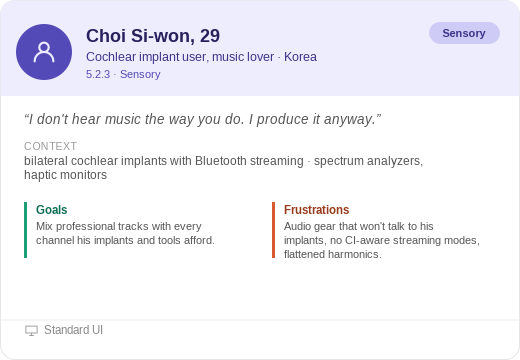
I don't hear music the way you do. I produce it anyway.
Goals
Mix professional tracks with every channel his implants and tools afford.
Frustrations
Audio gear that won't talk to his implants, no CI-aware streaming modes, flattened harmonics.
Profile
Choi Si-won had cochlear implant surgery at age five for congenital profound hearing loss. He now uses bilateral cochlear implants and works as a music producer. The sound he hears through the implants differs from typical hearing, but he overcomes that with technology and creativity.
Technology Environment
- Cochlear implants: latest model, direct Bluetooth streaming
- Music software: visual waveforms, spectrum analyzer
- Assistive apps: custom equalizer, noise reduction
- Streaming: direct connection to optimize sound quality
Daily Scenario
In the studio, Si-won is mixing a new track. The sound through his implants is electronic and pitch-distorted, but he works precisely with visual tools alongside it—checking frequency balance on a spectrum analyzer and adjusting rhythm by watching the waveform.
# Si-won's music-production assist system
class CIMusicProduction:
    def __init__(self):
        self.visual_aids = {
            'spectrum_analyzer': True,  # frequency visualization
            'waveform_display': True,   # waveform
            'beat_grid': True,          # beat grid
            'pitch_detector': True,     # pitch display
            'lyrics_sync': True         # lyric sync
        }

    def optimize_for_ci(self, audio):
        # Optimize audio for cochlear-implant users
        enhanced = audio
        enhanced = self.reduce_complex_harmonics(enhanced)
        enhanced = self.emphasize_rhythm(enhanced)
        enhanced = self.boost_speech_frequencies(enhanced)
        return enhanced

    def visual_feedback(self):
        # Visual representation of auditory information
        return {
            'volume_meter': self.get_volume_levels(),
            'frequency_bars': self.get_frequency_distribution(),
            'rhythm_pulse': self.get_beat_pattern(),
            'harmony_colors': self.map_chords_to_colors()
        }
In the afternoon Si-won listens to a new album in a streaming app. Streaming directly via the implants' Bluetooth improves the sound. He turns on the app's cochlear-implant mode to simplify complex harmonies and emphasize the rhythm.
At karaoke with friends he uses special strategies: he keeps time by the color changes on the lyric screen and feels the bass rhythm through a vibrating speaker. He routes the wireless mic's signal straight to his implants to monitor his own voice.
Challenges & Strategies
- Sound-quality limits: implant sound can resemble a robotic voice and lose musical richness. Si-won combines visual tools and tactile feedback to experience music 'multisensorially.'
- Noisy environments: with background noise, telling speech apart is very hard. He makes full use of noise reduction and directional-mic settings.
- Device compatibility: not every audio device works with implants. He always carries a Bluetooth transmitter or special cables.
Design Implications
- Multisensory feedback: convey audio information visually and tactilely too.
- Frequency optimization: audio profiles for cochlear-implant users.
- Direct connection: a range of options—Bluetooth, wired.
- Custom settings: fine adjustment to each person's hearing profile.