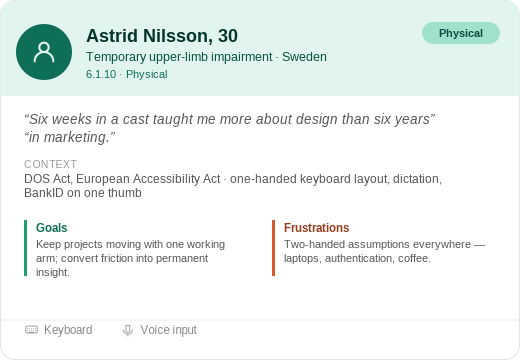
Astrid Nilsson
Temporary upper-limb impairment
Sweden · Europe · Age 30
- Law
- DOS Act · EAA
- Services
- BankID / 1177.se
- Messaging
- WhatsApp · Messenger
Assistive Technology
- Keyboard
- Voice input
Six weeks in a cast taught me more about design than six years in marketing.
Goals
Keep projects moving with one working arm; convert friction into permanent insight.
Frustrations
Two-handed assumptions everywhere — laptops, authentication, coffee.
Profile
Astrid Nilsson is a marketing manager whose right arm is in a cast for six weeks after a snowboarding accident. She's realizing how much she had taken two-handed use for granted, and facing a temporary but substantial inconvenience. The experience has given her a new perspective on accessibility.
Technology Environment
- Temporary setup: one-handed keyboard layout, voice input enabled
- Aids: phone stand, wireless earbuds, voice assistant
- Software: dictation program, automation apps
- Work tools: a virtual background on video calls (to hide the cast)
Daily Scenario
Monday morning, Astrid opens her laptop at a café to start work. She used to hold coffee in one hand and type with the other; now that's impossible. She sets the cup on the table and types slowly with just her left hand.
She has to reply to email, but one-handed typing is too slow. Astrid turns on dictation: "Hi Mr. Carter, period. Please find the marketing report you requested last week attached, period." She feels people glance over, but there's no helping it.
// Astrid's temporary accessibility settings
const temporaryAccessibility = {
  oneHandedMode: {
    enabled: true,
    dominantHand: 'left',     // left hand instead of the casted right
    keyboard: {
      layout: 'compact',      // layout compressed to the left
      stickyKeys: true,       // hold Shift, Ctrl, etc.
      wordPrediction: true,
      shortcuts: { copy: 'F1', paste: 'F2', cut: 'F3', save: 'F4', undo: 'F5' }
    },
    pointer: {
      primaryButton: 'left',
      clickLock: true,        // latch click for dragging
      scrollMethod: 'edge',
      gestures: 'simplified'
    }
  },
  voiceInput: {
    autoActivation: true,
    commands: {
      'email greeting': 'Hi, this is Astrid from marketing.',
      'wrap up meeting': "I'll summarize what we discussed and share it.",
      'check schedule': "I'll check my calendar and get back to you."
    },
    punctuation: 'automatic'
  },
  automation: {
    expiryDate: '2024-02-15',   // auto-revert after 6 weeks
    reminderToRevert: true
  }
};
At the afternoon team meeting, even carrying the laptop to the room is hard. Holding it one-handed while opening the door is almost an acrobatic feat. She gives up taking notes and turns on a recording app.
She has to present, but advancing slides while explaining is awkward. Astrid asks a colleague to advance the slides and focuses only on speaking. She realizes anew how many everyday tasks need two hands.
In the evening at home, Astrid tries some online shopping. Comparing products means opening several tabs and going back and forth, and even Alt+Tab is awkward one-handed. After repeating "next tab" by voice until she's worn out, she just adds items to the cart and puts off checkout.
Challenges & Strategies
- Slower pace: everything takes 3–4× as long as usual. Astrid prioritizes important tasks and delegates some to colleagues.
- No multitasking: taking notes while on a call, or typing while reading, is impossible. She learns to handle tasks sequentially.
- Physical fatigue: using only her left hand tires her faster than usual. She rests more often and minds her ergonomic posture.
Design Implications
- Situational accessibility: easy toggles for temporary-disability situations.
- One-hand-friendly UI: make every function reachable with one hand.
- Voice integration: voice for navigation, not just text entry.
- Collaboration features: make it easy to ask for help or share a task.