강철호 · Kang Chul-ho
Upper-limb amputee, prosthesis user
Korea · East Asia (Korea) · Age 45
- Law
- 장차법 · KWCAG 2.2
- Services
- 정부24 / 카카오·토스
- Messaging
- KakaoTalk
Assistive Technology
- Voice input
- Magnification
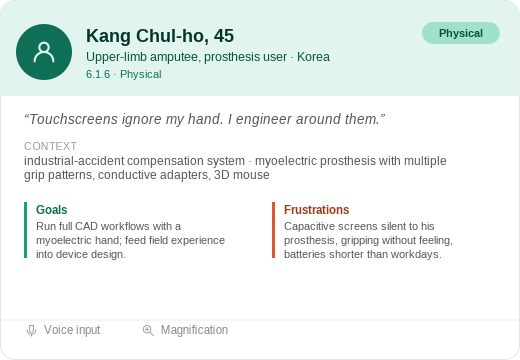
Touchscreens ignore my hand. I engineer around them.
Goals
Run full CAD workflows with a myoelectric hand; feed field experience into device design.
Frustrations
Capacitive screens silent to his prosthesis, gripping without feeling, batteries shorter than workdays.
Profile
Kang Cheol-ho lost his left arm in an industrial accident ten years ago and now uses a myoelectric prosthesis. A mechanical engineer, he makes full use of the latest prosthetic technology and takes part in developing assistive devices. He works mainly in CAD and 3D modeling, overcoming the prosthesis's limits with creative methods.
Technology Environment
- Prosthesis: myoelectric arm with multiple grip patterns
- Input: conductive stylus, 3D mouse, voice commands
- Software: CAD with custom settings, gesture recognition
- Aids: tool adapters for the prosthesis, touchscreen gloves
Daily Scenario
At 8:30 a.m. Cheol-ho puts on the prosthesis and calibrates it—a daily routine to ensure the myoelectric sensors read the small signals in his arm muscles properly. Today he begins designing a new product.
He launches the CAD program, holding a 3D mouse in his right hand and a regular mouse with the prosthesis. He sets the grip strength to 'precision grip.' But the capacitive touchscreen doesn't respond to the prosthesis, so he fits a conductive cap on the prosthetic fingertip.
# Cheol-ho's prosthesis-to-computer interface
class ProstheticInterface:
    def __init__(self):
        self.grip_patterns = {
            'power':     {'force': 80, 'speed': 'fast'},    # strong grip
            'precision': {'force': 30, 'speed': 'slow'},    # fine work
            'lateral':   {'force': 50, 'speed': 'medium'},  # side grip
            'relax':     {'force': 0,  'speed': 'fast'}     # release
        }
        self.current_mode = 'precision'
        self.touch_adapter = True   # conductive adapter fitted

    def gesture_shortcuts(self):
        """Map prosthesis gestures to CAD commands."""
        return {
            'fist': 'select_all',
            'point': 'pick_point',
            'open_palm': 'pan_view',
            'thumb_up': 'confirm',
            'pinch': 'zoom'
        }

    def pressure_mapping(self, pressure):
        """Convert pressure into line width or opacity."""
        if self.current_mode == 'drawing':
            return {
                'line_width': pressure * 0.1,         # 0-10px
                'opacity': min(pressure / 100, 1.0)
            }
After lunch he has a video meeting with a client and must manipulate a 3D model live while explaining. Fine mouse control is hard with the prosthesis, so he uses a Leap Motion controller instead, rotating and zooming the model with hand motions in the air.
At 3 p.m. comes prototype assembly. Holding small screws with the prosthesis is still challenging. Cheol-ho attaches a magnetic tool holder to the prosthesis to keep screws steady. For two-handed tasks he asks a colleague for help or uses a custom-made jig.
Challenges & Strategies
- No tactile feedback: the prosthesis can't feel pressure, so it's easy to grip too hard or drop things. Cheol-ho gauges force by visual feedback and sound.
- Capacitive touch failure: most touchscreens don't respond to the prosthesis. He uses conductive attachments or a special stylus.
- Battery life: the prosthesis runs only 8–10 hours a day. He keeps a spare battery and schedules important work for the morning.
Design Implications
- Recognize varied input: support pressure, infrared, and other touch methods beyond capacitive.
- Pressure-substitute feedback: convey force information visually and audibly.
- Customization: special gestures or shortcuts for prosthesis users.
- Compatibility info: state prosthesis compatibility in product specs.