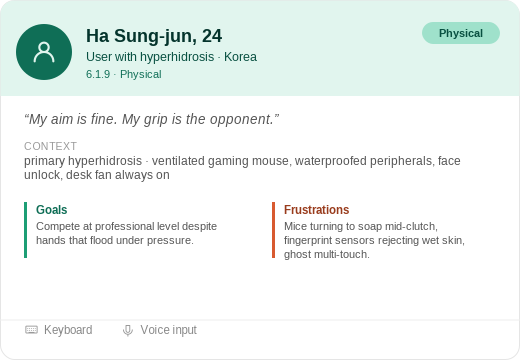
하성준 · Ha Sung-jun
User with hyperhidrosis
Korea · East Asia (Korea) · Age 24
- Law
- 장차법 · KWCAG 2.2
- Services
- 정부24 / 카카오·토스
- Messaging
- KakaoTalk
Assistive Technology
- Keyboard
- Voice input
My aim is fine. My grip is the opponent.
Goals
Compete at professional level despite hands that flood under pressure.
Frustrations
Mice turning to soap mid-clutch, fingerprint sensors rejecting wet skin, ghost multi-touch.
Profile
Ha Seong-jun has primary hyperhidrosis—his hands sweat excessively. A university student who dreams of going pro in esports, he battles slippery mice and damp keyboards while gaming, but he won't give up. Touchscreens give him even more trouble.
Technology Environment
- Mouse: vented gaming mouse, replaceable grips
- Keyboard: waterproof cover, quick-drying material
- Smartphone: face recognition instead of fingerprint
- Aids: hand antiperspirant, absorbent pads, mini fan
Daily Scenario
At 2 p.m. Seong-jun starts a team scrim. Ten minutes in, his hands begin to sweat. The mouse slips and his aim wavers. He calls a timeout, wipes his hands, and applies antiperspirant.
// Seong-jun's hyperhidrosis gaming setup
const hyperhidrosisGaming = {
  hardware: {
    mouse: {
      dpi: 800,                  // low DPI (compensates for slipping)
      weight: 'heavy',           // heavier mouse for stability
      surface: 'textured_grip',
      cableMgmt: 'bungee'
    },
    keyboard: { switches: 'tactile', keycaps: 'doubleshot_pbt', angle: 'elevated' },
    environment: { deskFan: 'always_on', acTemp: 20, humidity: 'low', towelPosition: 'right_side' }
  },
  software: {
    mouseSensitivity: { baseMultiplier: 0.8, accelerationCurve: 'linear', angleSnapping: true },
    macros: { quickDry: 'F13', gripReset: 'F14' }
  },
  gameProfiles: {
    fps: { sensitivity: 'low', crosshair: 'large', holdToAim: false },
    moba: { smartCast: true, attackMove: 'toggle', cameraGrip: 'edge_pan' }
  }
};
Using the phone is a bigger challenge. When Seong-jun scrolls Instagram, sweat keeps the touch from registering; sometimes it reads as multi-touch and zooms unintentionally. He always carries a handkerchief and a stylus.
In the evening he needs the mobile-banking app. He gave up fingerprint unlock long ago—sweaty fingers don't register even once in ten tries. He logs in by face, but entering the account PIN, the touchscreen won't respond, then suddenly enters '55' when he pressed '5' once.
// Seong-jun's smartphone accessibility settings
Touch:
  - Sensitivity: maximum (respond even when sweaty)
  - Multi-touch limit: on (prevent unintended gestures)
  - Touch duration: short (0.1s)
  - Haptic feedback: strong (confirm a touch)

Input:
  - Primary: voice input first
  - Secondary: Bluetooth keyboard
  - Auth: face recognition + PIN (replaces fingerprint)

Screen:
  - Oleophobic film: resists fingerprints/sweat
  - Brightness: auto (minimize sweat glare)
  - Dark mode: always on (less screen heat)
At 10 p.m., Seong-jun starts a Twitch stream. Chatting with viewers while gaming, a bead of sweat drips between the keys—the keyboard is waterproof, but it makes him anxious. He combines TTS that reads chat aloud with voice replies.
Challenges & Strategies
- Slipping and low friction: precise control is hard with wet hands. Seong-jun wipes his hands every 5–10 minutes during games and sometimes wears special vented gloves.
- Risk of device damage: excess sweat can seep into devices. He chooses waterproof products and replaces keyboard covers and mouse pads often.
- Touchscreen errors: sweat makes touch miss or misread as multi-touch. He uses physical buttons or voice commands wherever possible.
Design Implications
- Moisture tolerance: water/humidity-resistant design, with venting.
- Varied input options: an alternative when touch fails.
- Sensitivity control: touch that works in humid conditions.
- Physical feedback: confirm input with vibration and click feel.