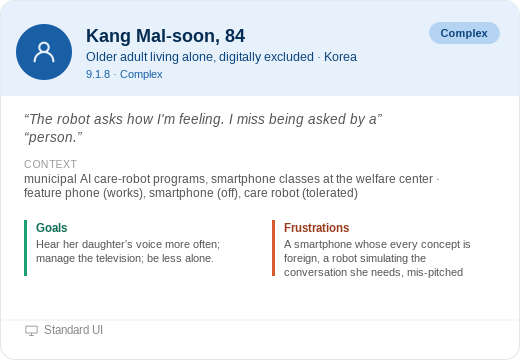
강말순 · Kang Mal-soon
Older adult living alone, digitally excluded
Korea · East Asia (Korea) · Age 84
- Law
- 장차법 · KWCAG 2.2
- Services
- 정부24 / 카카오·토스
- Messaging
- KakaoTalk
Assistive Technology
- Standard UI
The robot asks how I'm feeling. I miss being asked by a person.
Goals
Hear her daughter's voice more often; manage the television; be less alone.
Frustrations
A smartphone whose every concept is foreign, a robot simulating the conversation she needs, mis-pitched training.
Profile
Kang Mal-sun is an older adult living alone in the countryside. Her vision, hearing, and cognitive function have all declined, and after a lifetime of farming she has had almost no contact with digital devices. Her children bought her a smartphone and an AI care robot, but with no one to teach her how to use them, they sit mostly turned off. She feels deep loneliness, but connection to the digital world remains distant.
Technology Environment
- Old feature phone: voice calls only
- Smartphone: barely used (too complex)
- AI care robot: basic conversation only
- TV: terrestrial channels only
Daily Scenario
At 7 a.m., Mal-sun eats breakfast alone. She turns on the TV, but the remote has too many buttons and even changing the channel is hard. They say the picture is better since the digital switchover, but the channel numbers changed and it's confusing. In the end she leaves it on one channel all day.
The AI robot her daughter-in-law sent speaks up: "Hello, Grandmother. How are you feeling today?" At first it was novel, but now talking to a machine feels awkward and lonely. "Oh dear, I miss people. You're not a person," she murmurs.
// The reality of Mal-sun's digital divide
Current state:
- Owns a smartphone: Yes
- Functions actually used: answering calls (even calling is hard)
- Why she can't use it:
  * Small screen and text
  * Complex menu structure
  * Unfamiliar with touch operation
  * Can't understand terms ("What's an app?")
  * Fear of mistakes

Tried and gave up:
- Video calls: "The face doesn't show up"
- Viewing photos: "I don't know where they went"
- Texting: "The keyboard is too small"
- Banking app: "What was the password again..."

- Hospital booking: can't understand the ARS
- Welfare services: can't apply online
- Family contact: only when a call comes in
- Emergencies: knows no contact besides emergency services
In the afternoon she went to a smartphone class at the community center, but the young instructor's explanation is too fast and the terms are hard. Told to "find the Settings app on the home screen and turn on Wi-Fi," she has no idea what 'home,' 'app,' or 'Wi-Fi' are. She tries to copy the person beside her but has already fallen behind, and is too embarrassed to say she doesn't understand.
In the evening, Mal-sun wants to call her daughter but can't recall the number. It's said to be saved in the smartphone, but she doesn't know how to find it. In the end she reads a number written in a notebook and calls on the feature phone. Her daughter asks, "Mum, did you see the photos I sent on KakaoTalk?", but Mal-sun has no idea what she means.
Challenges & Strategies
- Complete digital illiteracy: she doesn't understand even basic concepts and terms. Mal-sun takes comfort that the neighborhood grandmothers don't know either, but her sense of exclusion deepens.
- Absence of learning opportunities: rural areas have few classes, and those that exist don't match her level. Family visit only on holidays and have no time to teach.
- Tech aversion: accumulated failures make her fear new attempts. "I'm too old to learn," she resigns herself.
Design Implications
- An extremely simple first experience: a mode that allows only answering/making calls.
- Familiar metaphors: everyday language instead of digital jargon.
- Failure-free design: a structure recoverable even after a wrong press.
- Human connection first: foster connection with people over technology.